IPv4
From $0.50 for 1 pc. 38 countries to choose from, rental period from 7 days.
IPv4
From $0.50 for 1 pc. 38 countries to choose from, rental period from 7 days.
IPv4
From $0.50 for 1 pc. 38 countries to choose from, rental period from 7 days.
IPv6
From $0.07 for 1 pc. 14 countries to choose from, rental period from 7 days.
ISP
From $1.35 for 1 pc. 23 countries to choose from, rental period from 7 days.
Mobile
From $14 for 1 pc. 17 countries to choose from, rental period from 2 days.
Resident
From $0.70 for 1 GB. 200+ countries to choose from, rental period from 30 days.
 Armenia
 Australia
 Belgium
 Brazil
 Bulgaria
 Canada
 China
China
 Czech
Czech
 England
 Finland
 France
 Georgia
 Germany
 Hong Kong
 India
India
 Indonesia
 Italy
Italy
 Japan
Japan
 Kazakhstan
 Korea
Korea
 Latvia
 Lithuania
 Malaysia
 Mexico
 Netherlands
 Poland
 Portugal
 Romania
 Russia
 Singapore
 South Africa
 Spain
Spain
 Sweden
 Switzerland
 Thailand
 Turkey
 Ukraine
 USA
USA
Use cases:
Armenia
Australia
Belgium
Brazil
Bulgaria
Canada
China
Czech
England
Finland
France
Georgia
Germany
Hong Kong
India
Indonesia
Italy
Japan
Kazakhstan
Korea
Latvia
Lithuania
Malaysia
Mexico
Netherlands
Poland
Portugal
Romania
Russia
Singapore
South Africa
Spain
Sweden
Switzerland
Thailand
Turkey
Ukraine
USA
Use cases:
Tools:
Company:
About Us:
Armenia
Australia
Belgium
Brazil
Bulgaria
Canada
China
Czech
England
Finland
France
Georgia
Germany
Hong Kong
India
Indonesia
Italy
Japan
Kazakhstan
Korea
Latvia
Lithuania
Malaysia
Mexico
Netherlands
Poland
Portugal
Romania
Russia
Singapore
South Africa
Spain
Sweden
Switzerland
Thailand
Turkey
Ukraine
USA
Hidemyacc is an anti-detect browser that lets users create isolated profiles that emulate real devices. It lets you simulate multiple independent environments on a single system. Each profile receives a distinct browser fingerprint. It has its own metadata and IP address with cookies and geolocation.
In the below review, let’s see how it works, its features, pricing, interface, and the steps to create a new profile. You can also check out our video Hidemyacc review.
o meet the needs of account managers and automation professionals, Hidemyacc provides the following principal functions:
Each environment runs with a completely unique fingerprint. This means websites see every session as if it’s coming from a different user, using a different device. You can change or randomize parameters such as screen resolution, OS, audio stack, WebGL, media devices, fonts, and WebRTC behavior.
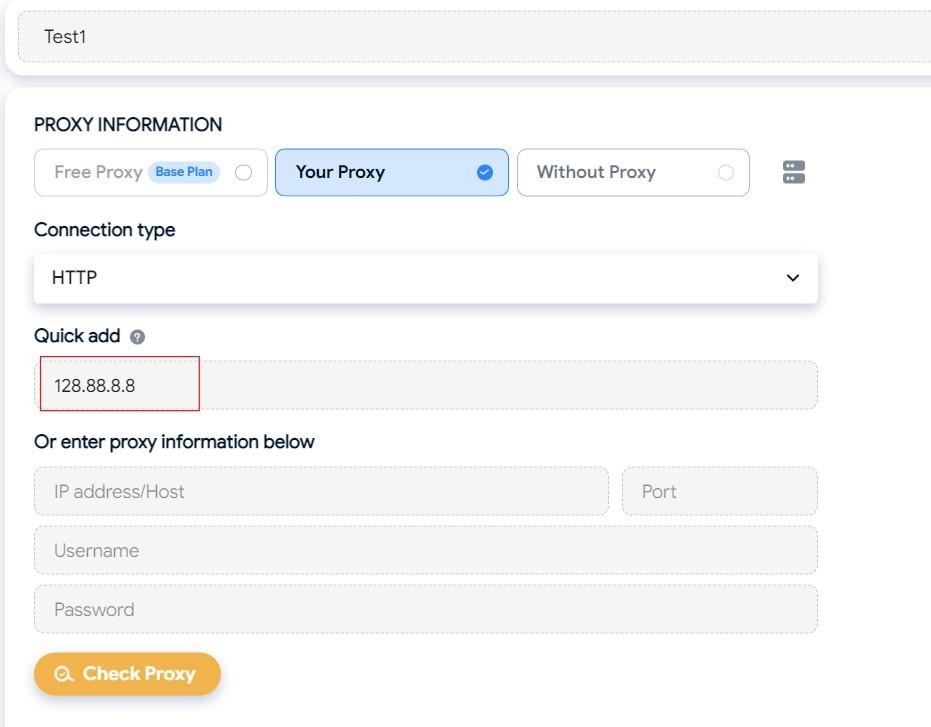
You can assign individual proxies (HTTP, HTTPS, SOCKS5) to each profile in Hidemyacc. This is useful when managing profiles across regions or handling IP-based rate limits. The built-in Hidemyacc Proxy Manager allows you to add proxies in bulk, assign tags, and view expiration status. It makes it easy to rotate or switch IPs at scale.
You can create macros using a visual drag-and-drop interface inside the Automation tab. These macros can simulate actions such as logging in, uploading content, or interacting with CAPTCHA flows. You may save, test, and run these macros across selected sessions.
The Synchronizer tool can replicate actions across multiple profiles. For example, if you're launching a campaign and want all sessions to follow the same clicks or fills, you could broadcast your activity from one instance to others.
The Base, Team, and Business plans allow you to add sub-profiles for teammates. Each member gets credentials and limited access depending on their role. Environments can be shared between users to support collaboration in agency or enterprise workflows.
Here are all the pricing & subscription plans of Hidemyacc:
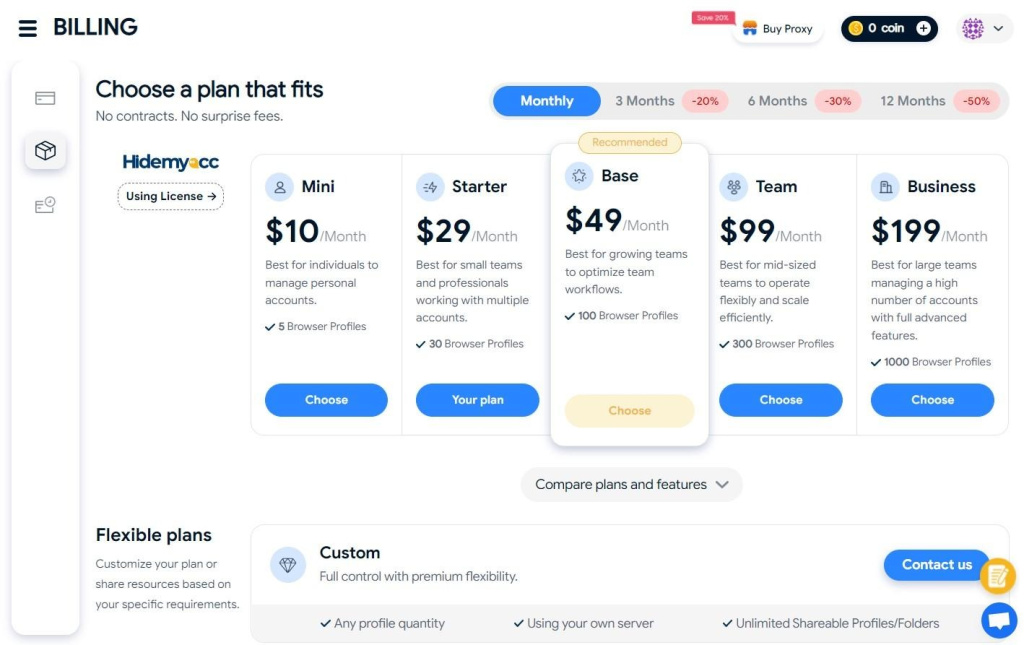
A 7-day trial gives you access to most of the features (up to 30 virtual identities), but with limitations. You can’t use Quick Profiles, team collaboration tools, or mobile emulation. But it is still good for testing the UI, fingerprint handling, and IP behavior.
This is for users who only need access to sessions created by others. You can create five environments but cannot share them; you can operate transferred environments. It is great for assistants or remote workers.
The Starter plan allows the creation of up to 30 user environments. It is best for individuals who need basic isolation for management. But there is only limited automation and no team features.
The Base plan is good for freelancers and solo marketers. It allows up to 100 instances and 1 sub-account. You get access to folders, server lists, automation, and almost every main feature except the API.
The team plan in Hidemyacc is best for small teams since you may have 300 accounts and 3 free sub-accounts. It has all the major features like session sharing, task syncing, mobile device fingerprinting, and full automation.
If you are an agency or business that manages 1000+ instances, then the Business plan is right for you. It has 5 sub-accounts by default, and there are no restrictions.
You can also create customized plans for large operations. Session counts, features, and dedicated servers can be negotiated. This suits users who require custom scaling or private infrastructure.
Here are the different sections of the user interface you need to know:
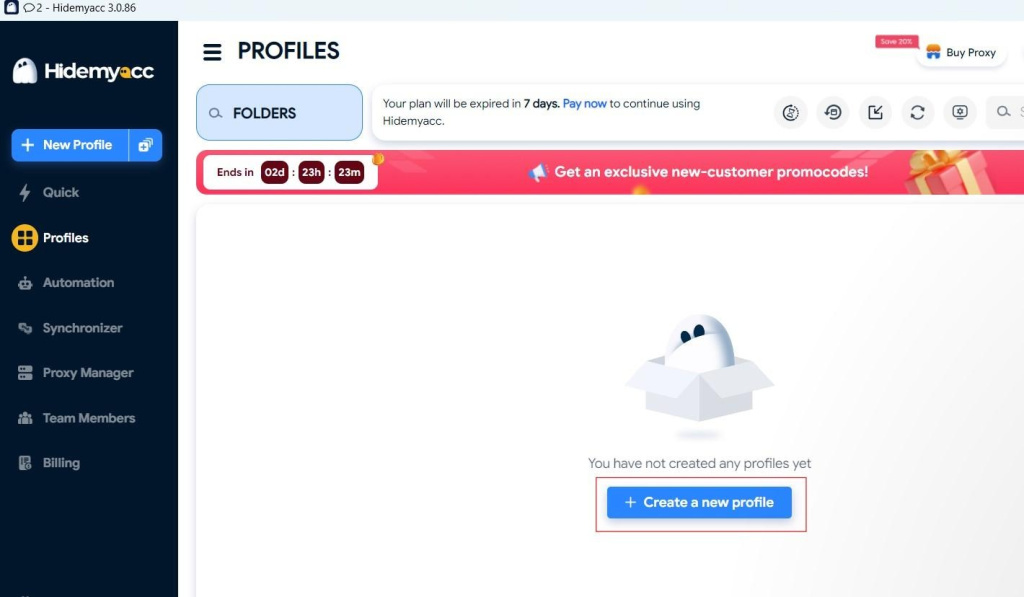
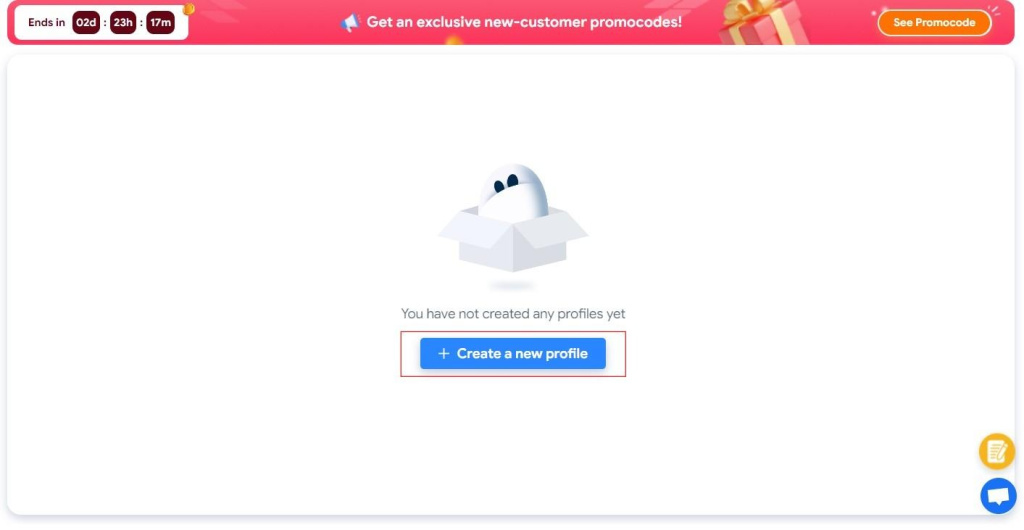
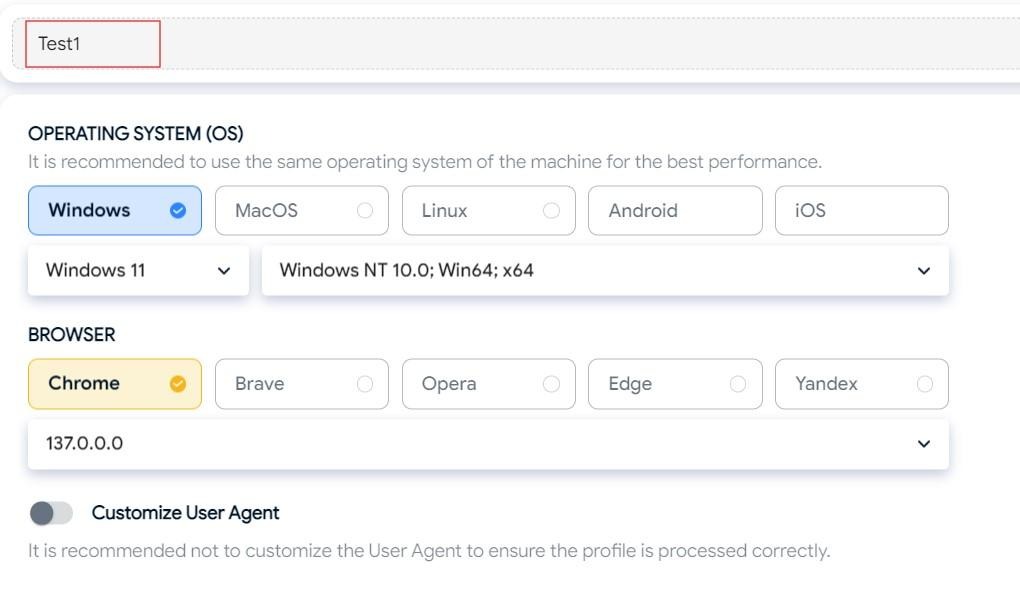
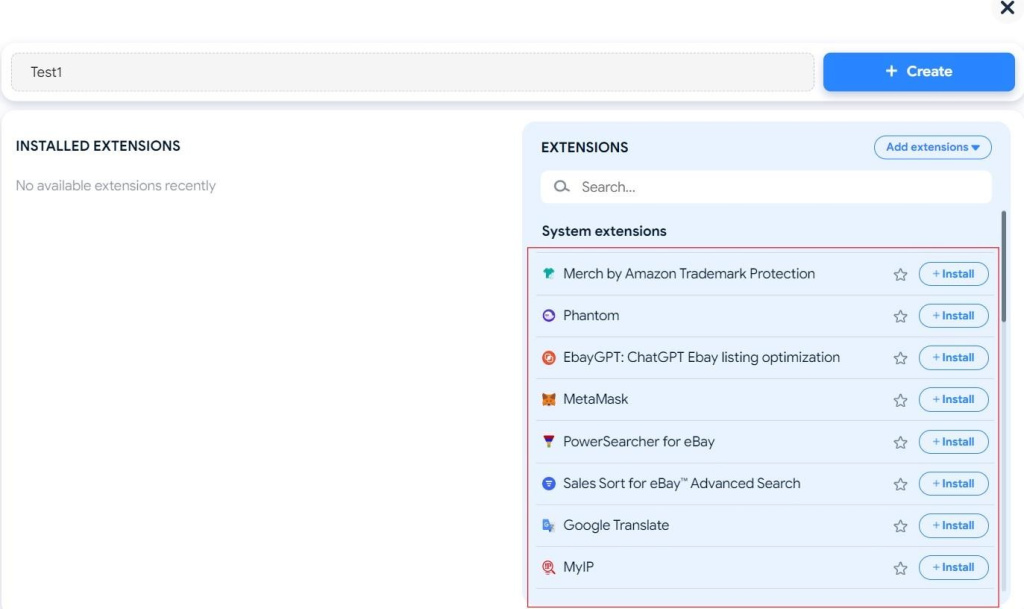
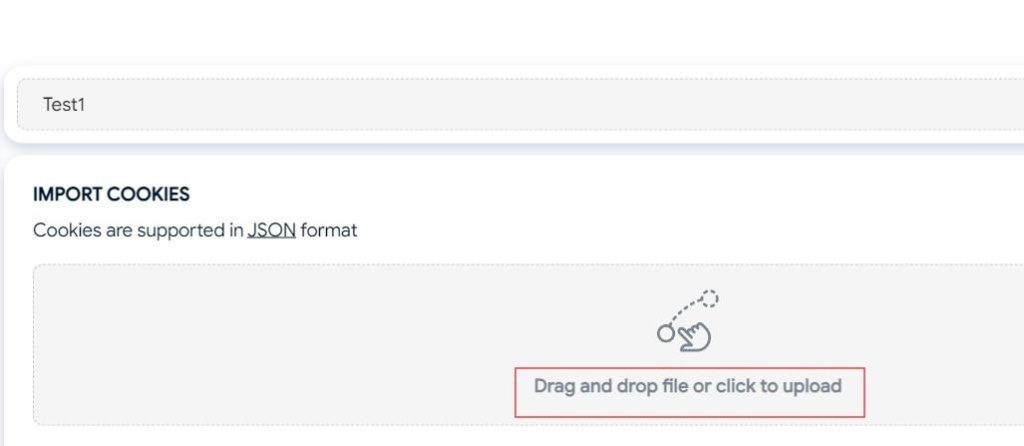
The “New Profile” button opens a configuration window where you can choose your base, fingerprint parameters, and more. You may also upload cookies, assign browser extensions, import/export proxies, or save templates for reuse.
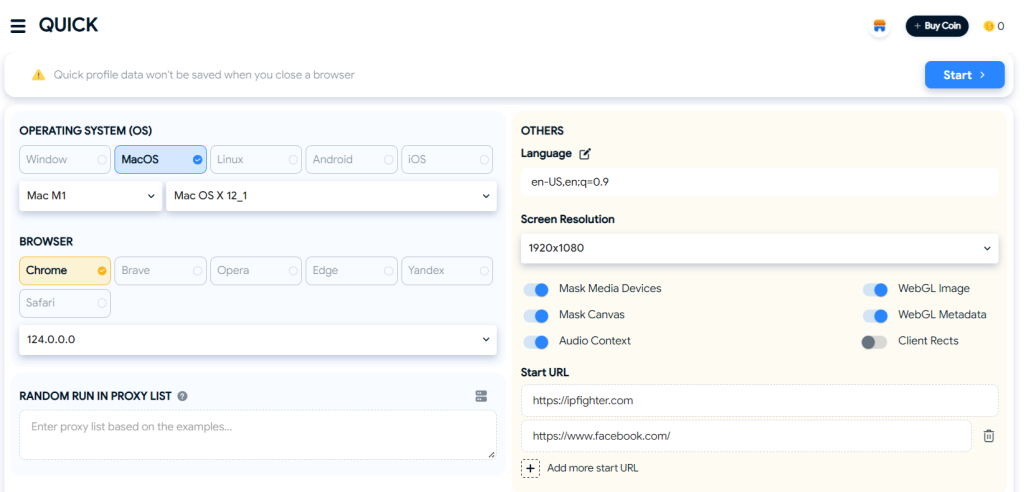
The Quick tab will help you create one-time sessions for temporary tasks. These accounts are deleted after use. It makes them perfect for testing proxies or accessing sites that don’t require continuous login.
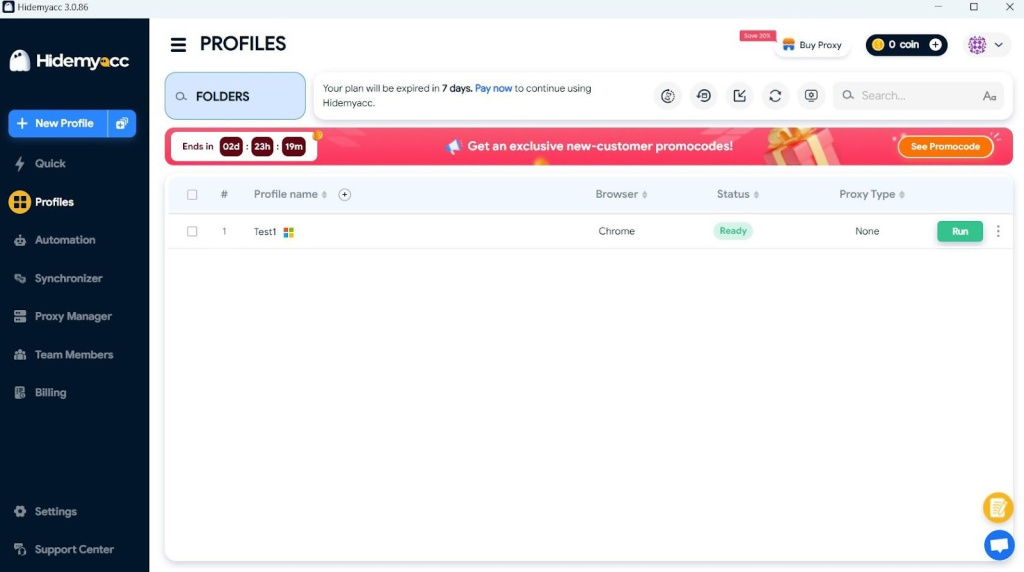
The Profiles section has all your saved sessions in a list format. Each entry shows the assigned IP, browser engine, tags/labels, status, and last-modified date. It is easy to launch, modify, duplicate, group, or delete them in the section.
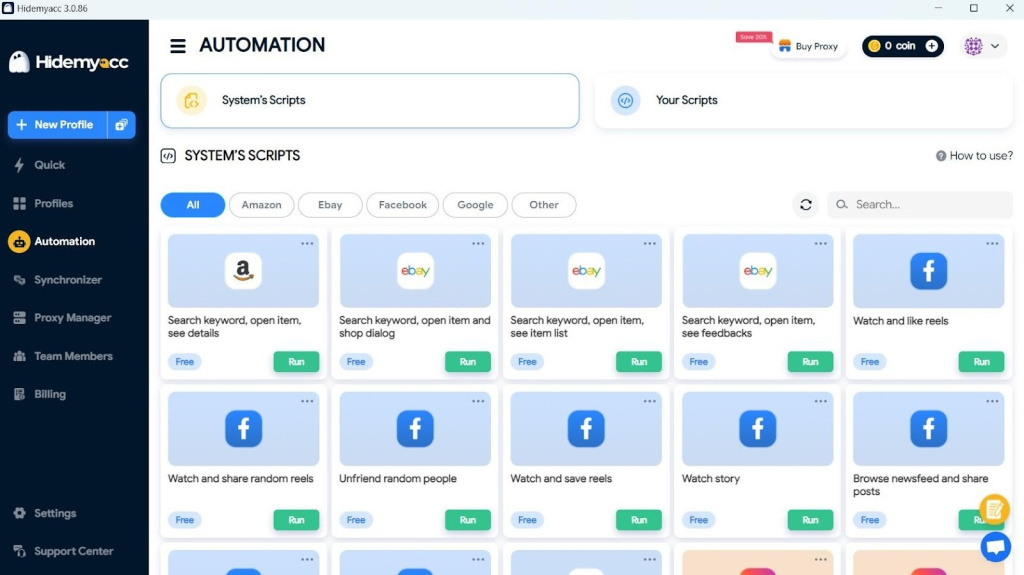
The Automation tab in Hidemyacc opens a visual scripting builder. You could drag elements like “Click Button”, “Scroll Down”, “Type Text”, or “Wait (seconds)” into the timeline. You can then assign the macro to one or more accounts.
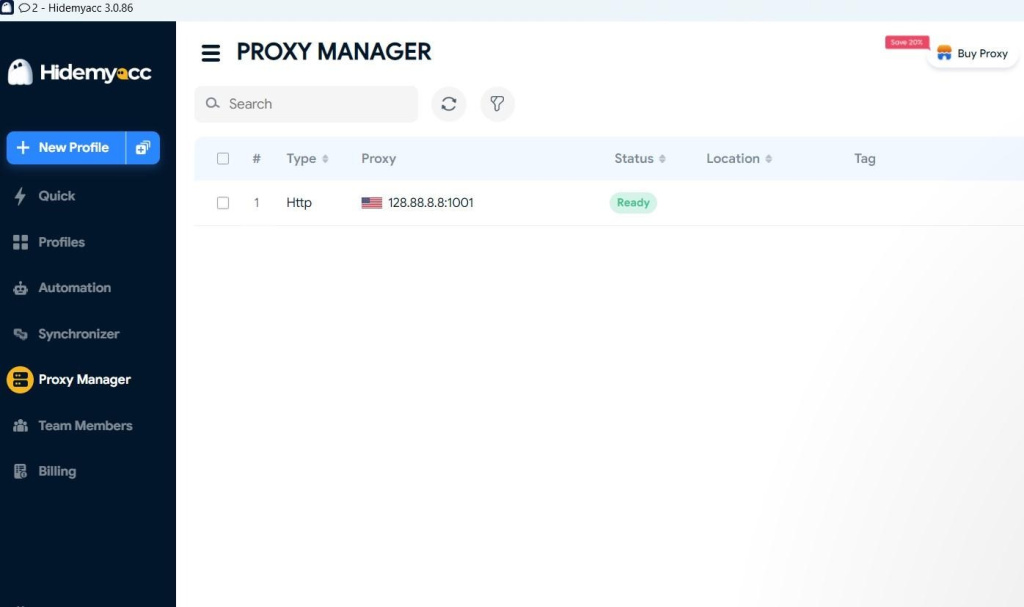
You may add new proxies, test connection speed, and set expiry notifications in this section. It supports HTTP/SOCKS4/SOCKS5 and shows status like “Working” or “Failed”.
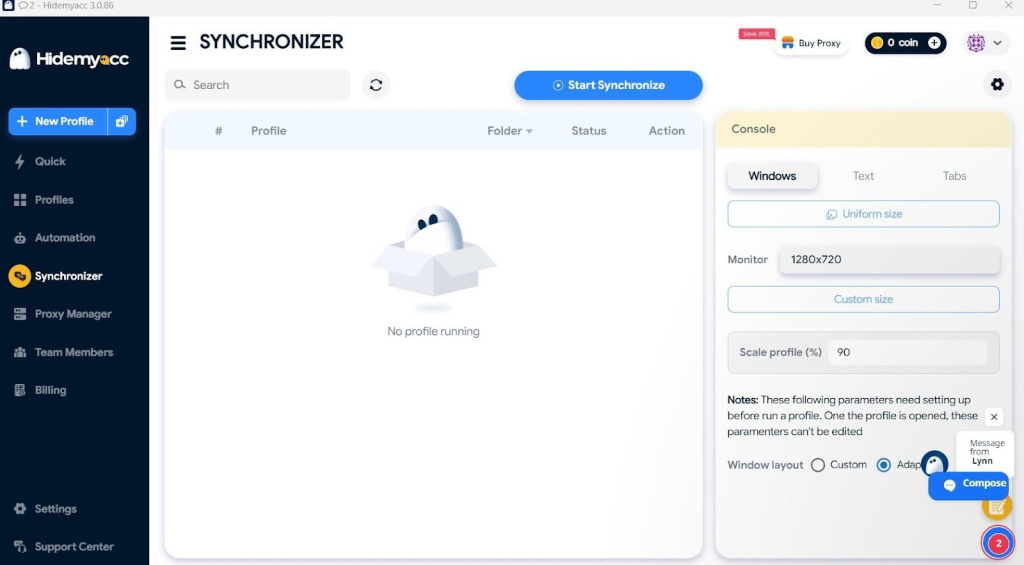
The Synchronizer is a tool that lets you repeat the actions in selected user setups. It is used for running a single campaign or action across multiple users with just a click.
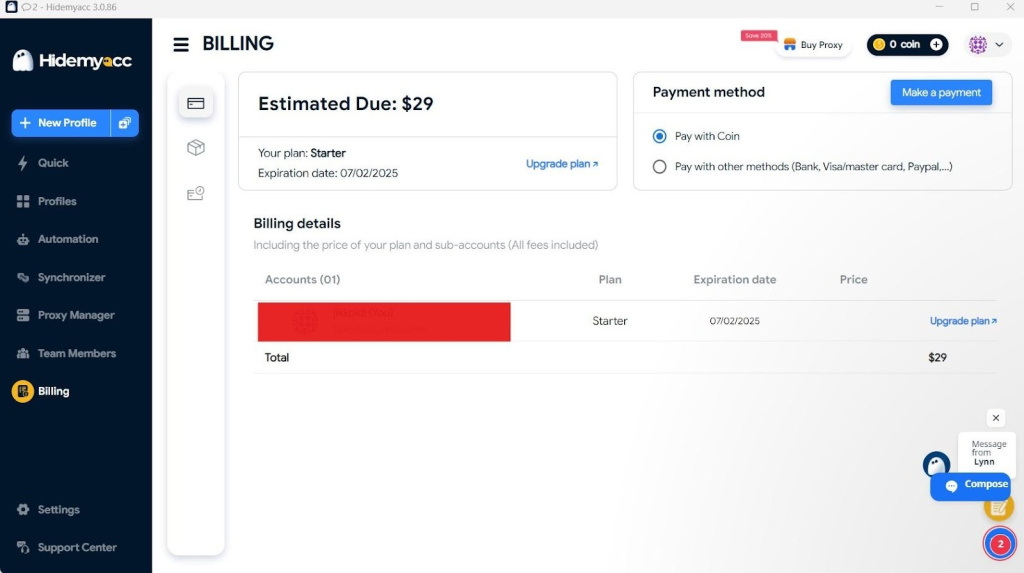
The billing tab shows the plan details, transactions, and lets you compare subscription features. You may also see links to documentation, tickets, and API access in the Support Tab.
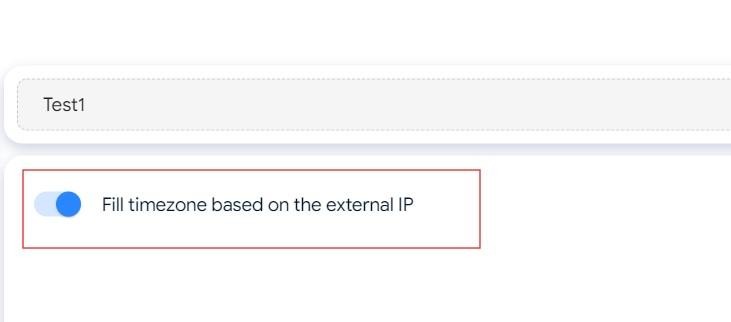
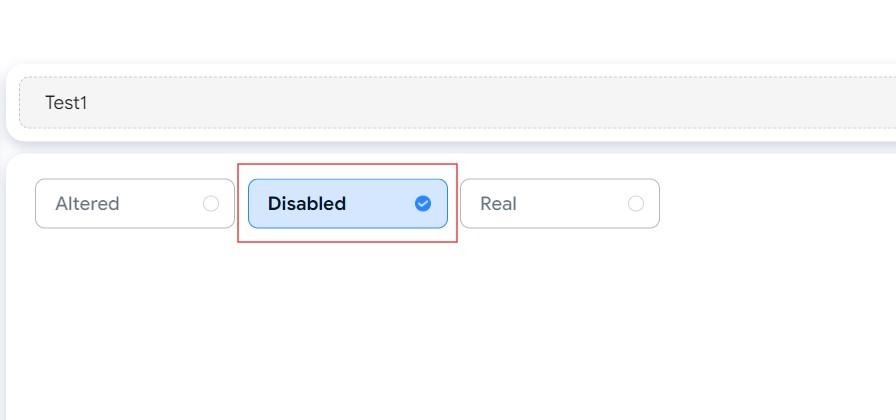
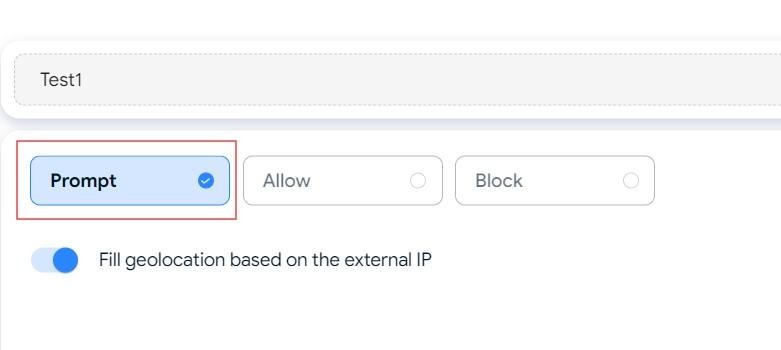
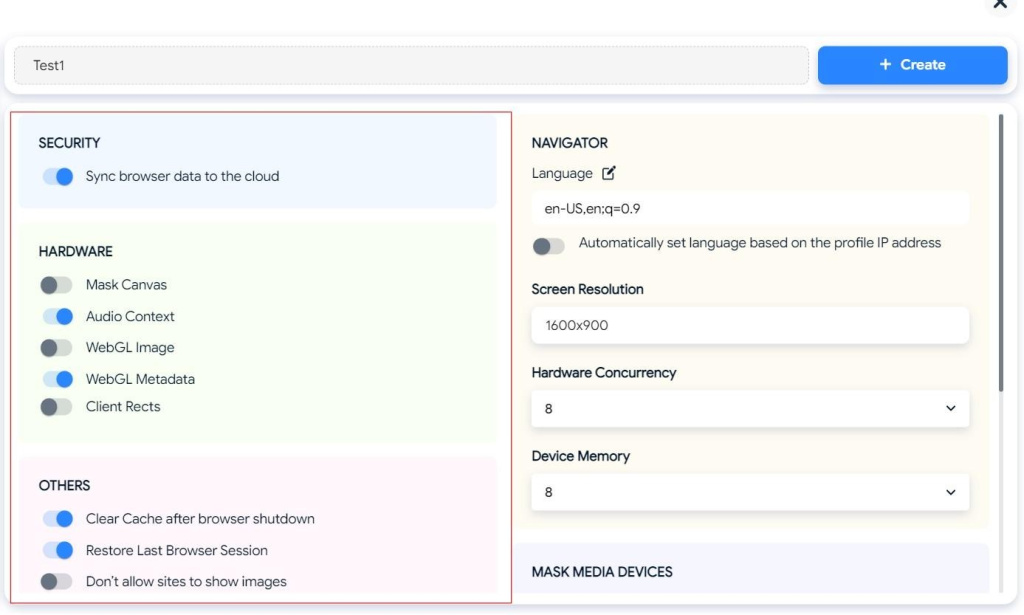
If you are looking to create a new account on the platform, follow these steps:
Here are the advantages and disadvantages of using the software:
Extensive profile customization: The software has many customization features you can use. You could change your device’s OS, type, version, screen resolution, WebRTC settings, and more. The control you get from it will allow you to create realistic instances that act like different users or devices. It is useful if you are managing hundreds of sessions across platforms that are sensitive to duplicate behaviours, like Facebook or LinkedIn.
Integrated proxy and synchronization features: Each identity environment is assigned a different proxy for true IP separation. This helps reduce account-related risks and false positives in anti-bot systems. The Synchronizer in the Hidemyacc anti-detect browser will allow you to repeat actions across multiple instances at once. This makes it easier to run campaigns in many accounts without controlling them individually.
Limited cloud or mobile support: The platform currently lacks cloud browsing and mobile OS emulation. All sessions are executed locally on your device, which might limit scalability for some users. If you need mobile device simulation or cloud-based session storage, then you should go for a Hidemyacc alternative.
Learning curve for new users: Even though the dashboard is simple, there are so many technical options that can confuse some users. The setup may take time for new users, especially fingerprint details and server integration. The documentation is helpful, but it still needs some learning curve.
Here are some common use cases of this browser that can be applicable:
Hidemyacc can help with multi-account management by giving each browser its own fingerprint and proxy. Use cases include: social media marketing, eCommerce, web-based games, crypto airdrops.
Many websites use advanced bot detection to limit repetitive scraping. Paired with appropriate proxies, Hidemyacc supports realistic session simulation and fingerprint management.
Since each session acts like a real user, you may rotate IPs and fingerprints while scraping data. You could do all this without triggering any bot detection. Developers and testers can simulate website behavior under different client configurations. It can be used to verify anti-bot systems, language switches, and other user experiences.
Marketers working with affiliate programs or ad networks can manage multiple profiles while minimizing false positives. They could also do traffic arbitrage with multiple ad instances and proper scaling. Since it involves redirecting traffic from different ad sources, Hidemyacc has all the tools for it.
If you want privacy while browsing, this platform is for you. It can modify the browser fingerprint and mask the IP address to reduce tracking signals. It could also mimic different devices and prevent flagging if you are managing global accounts.
The software supports isolated sessions per IP. Ensure compliance with the terms of any platform you use. This might be used for testing strategies, claiming bonuses, or betting from different accounts.
Hidemyacc is a suitable browser for those seeking maximum anonymity. It has features like advanced fingerprinting, proxy support, team access, and automation features for multi-account management and private browsing.
It supports use cases such as ad operations, marketplace management, data collection, and accessing region-specific data. It gives you enough control and flexibility to operate safely. Make sure you follow these steps and configure each session based on your requirements to get the full benefits.
For those who are exploring other anti-detect browsers, you might also want to check out Gologin or learn here how to set up proxies in browsers like Brave. These resources provide complementary guides for secure, multi-account browsing.
 Instagram
  Facebook
  TikTok
  Telegram
  YouTube
  Twitter
  Tinder
  Reddit
  LinkedIn
  Runescape
  Dofus
Dofus  Metin2
  Silkroad
  Margonem
  Minecraft
  Lineage 2
  WoW
WoW  Lords Mobile
  Travian
  Steam
Steam  Origin
  Google
  ScrapeBox
  Amazon
  Ebay
Ebay  Shopify
  Etsy
Etsy  Netflix
  Spotify
  Twitch
  Browsing