IPv4
From $0.72 for 1 pc. 37 countries to choose from, rental period from 7 days.
IPv4
From $0.72 for 1 pc. 37 countries to choose from, rental period from 7 days.
IPv4
From $0.72 for 1 pc. 37 countries to choose from, rental period from 7 days.
IPv6
From $0.07 for 1 pc. 14 countries to choose from, rental period from 7 days.
ISP
From $1.35 for 1 pc. 23 countries to choose from, rental period from 7 days.
Mobile
From $14 for 1 pc. 18 countries to choose from, rental period from 2 days.
Resident
From $0.70 for 1 GB. 200+ countries to choose from, rental period from 30 days.
Use cases:
Use cases:
Tools:
Company:
About Us:
In recent years, Microsoft has actively promoted the Edge Internet browser as the successor to Internet Explorer. The developers have optimized the application, incorporating built-in tools for traffic protection, unwanted resource blocking, and integrating artificial intelligence into the search functionality.
Microsoft Edge has gained popularity as a browser for Windows users. However, in the realm of online security and privacy, additional measures can be beneficial. For comfortable surfing, ensuring privacy, and accessing web services from various global locations, using anonymizers such as proxies is also important.
If you’re also using other browsers for multiple accounts or advanced online workflows, it can be helpful to compare proxy setup guides, such as the Brave proxy settings tutorial, which provides step-by-step instructions for a different browser, ensuring that each profile or browser session remains secure.
Wondering how to enable a proxy in the Edge browser? We provide detailed guidance for this process.
The latest versions of Microsoft Edge don't have a built-in interface for configuring a connection via a remote server. Therefore, setting up a proxy in Microsoft Edge involves using Windows system tools:
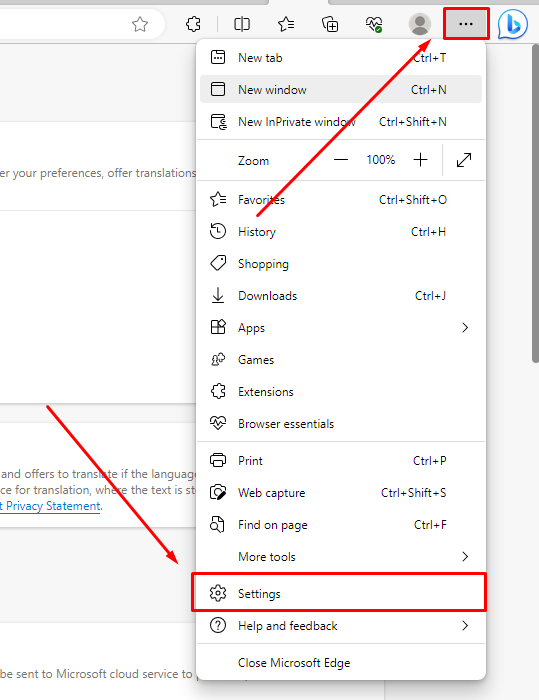
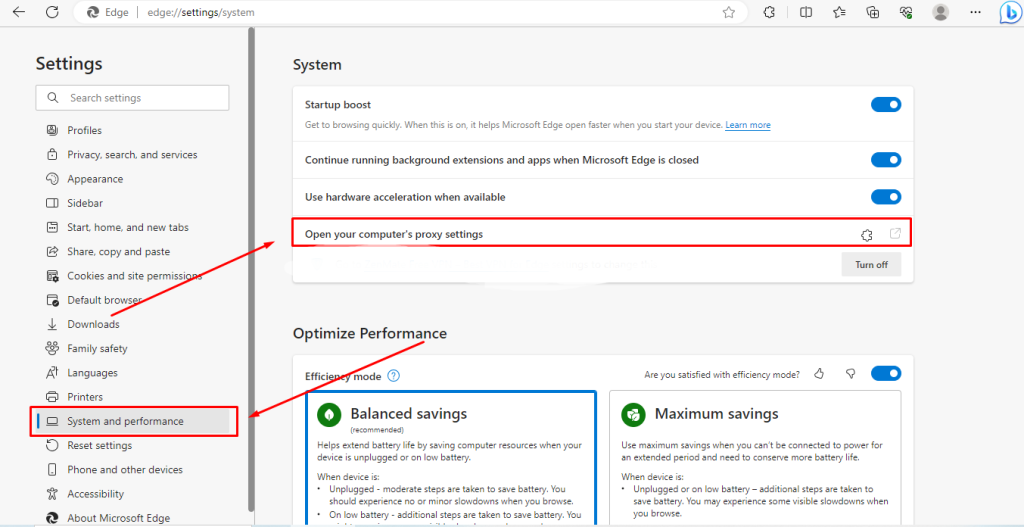
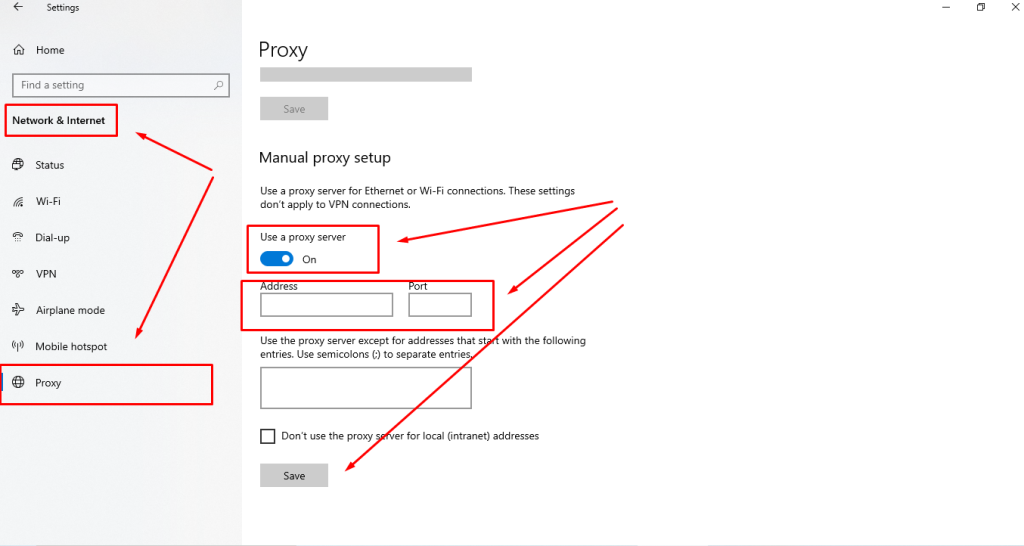
A limitation is that these proxy settings apply to all Windows traffic, not just Microsoft Edge. To modify settings or disable anonymization, you need to access the OS settings each time.
An alternative method for changing proxy settings in Edge is by installing a third-party extension, such as Proxy Control.
To set up a proxy using a third-party plugin in Microsoft Edge:
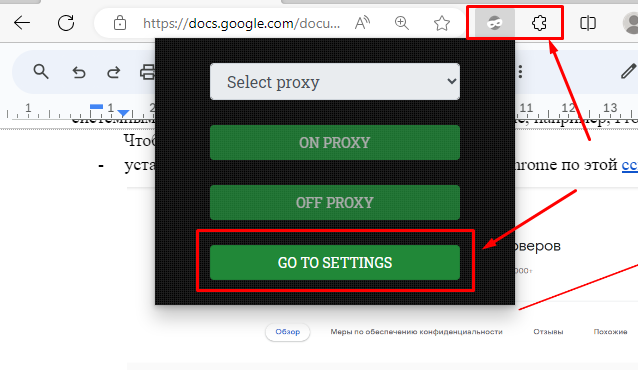
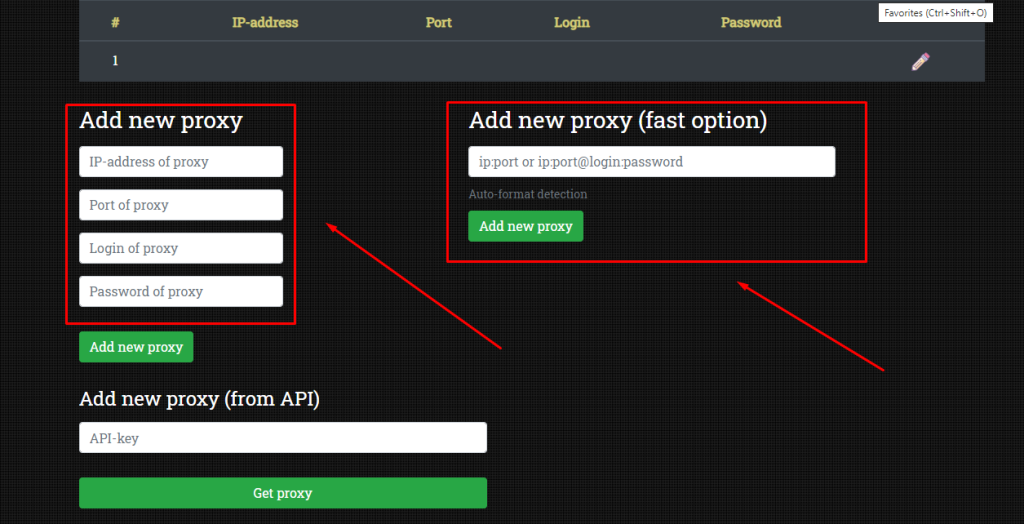
After setting up, verify if the proxy is functioning. Visit any service for checking IP or testing Internet speed and observe the IP and current geolocation.
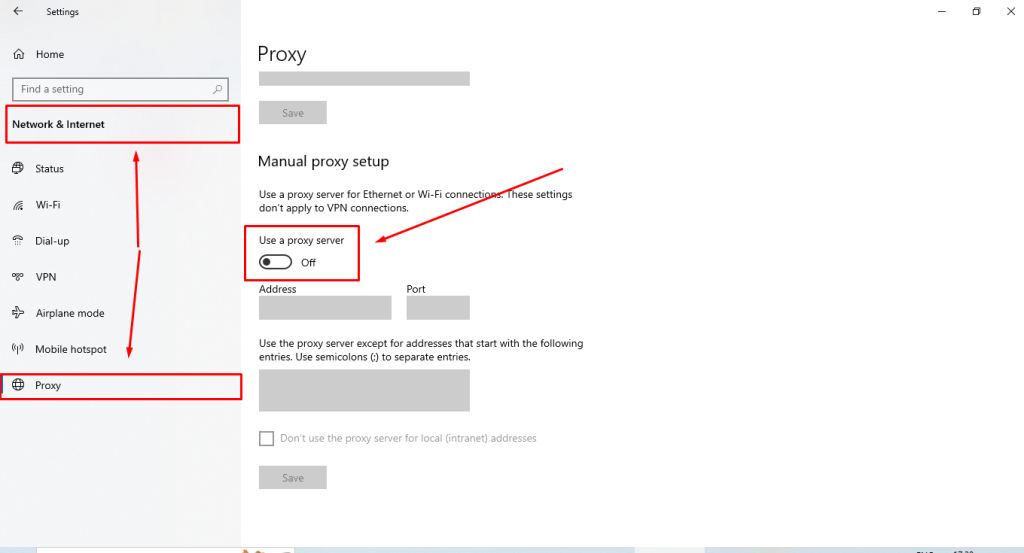
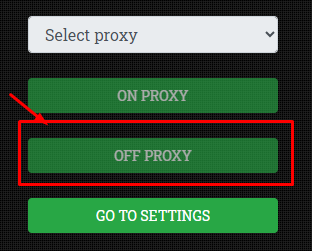
And that's it! The proxy has now been disabled.


 Instagram
  Facebook
  TikTok
  Telegram
  YouTube
  Twitter
  Tinder
  Reddit
  LinkedIn
  Runescape
  Dofus
Dofus  Metin2
  Silkroad
  Margonem
  Minecraft
  Lineage 2
  WoW
WoW  Lords Mobile
  Travian
  Steam
Steam  Origin
  Google
  ScrapeBox
  Amazon
  Ebay
Ebay  Shopify
  Etsy
Etsy  Netflix
  Spotify
  Twitch
  Browsing